 Sapthan Pay
All your bank accounts in Europe, in one app.
Life in Europe often means more than one bank, invoices with QR codes, rent, bills and loan instalments. Sapthan Pay brings the bank accounts you already have into one place, lets you pay straight from them, and reminds you before money is due.
- See every balance and transaction, from every bank, in one list
- Pay anyone in the euro area by SEPA — approved in your own bank
- Scan invoice QR codes, send payment requests, never miss a bill
Thanks — we'll email you when Sapthan Pay opens.
Couldn't submit — email us directly at business@sapthan.com.
Free to join. We'll only email you about the launch.
One app on top of the bank accounts you already have.
You keep your banks. Sapthan Pay connects to them — with your permission, through the open-banking rules that every EU bank follows — so you can see, pay and plan from one place instead of opening four different apps.
Every account, one view
Your current accounts, savings and cards at different banks — even in different countries — show up together, with one total and one list of transactions.
Straight from your bank
Send money, pay an invoice or repay a loan from any of your linked euro accounts. Your bank asks you to approve it, exactly as in your banking app.
Know what's coming
Reminders before bills and loan instalments are due, a monthly budget, and plain-language insights about where your money went.
Sapthan Pay is not a bank. Your money stays in your own bank accounts. We never hold it, and we never see your banking password.
Made for people whose money lives in more than one place.
You moved to another EU country
An account at home, a new local bank for salary and rent. See both side by side and pay from whichever one you choose.
Students and young professionals
Rent, shared costs, subscriptions and a tight monthly budget. Know what's left before the month ends.
Freelancers and small sellers
Send a payment request with a QR code and an IBAN on it, share it on WhatsApp or email, and see when it's paid.
Households
Several accounts, bills, a car loan or a mortgage. One place to see what's due and pay it on time.
How Sapthan Pay fits into everyday life.
No new bank account, no new card. Just fewer apps to open and fewer things to remember.
Check all your money at once
Open the app and see one total across every bank, plus what changed overnight. Each balance shows when it was last updated by your bank.
Pay an invoice by scanning its QR code
The electricity or dentist invoice has a European payment QR code. Scan it, and the name, IBAN, amount and reference fill themselves in. Choose the account to pay from and approve it in your bank.
Get paid back by a friend
Create a payment request for your share of the dinner. Sapthan Pay makes a small invoice with your IBAN and a QR code. Send it on WhatsApp — your friend can pay from their own banking app, and you'll see when it's paid.
A reminder before the loan instalment
Add your loans and regular bills once. Sapthan Pay reminds you before they're due and shows how much will be left in the account afterwards.
See where the money went
Spending is sorted into categories like groceries, transport and housing. Set a monthly budget and get an alert at 80% and at 100%.
Everything you can do with Sapthan Pay.
Real screens from the current test version of the app.
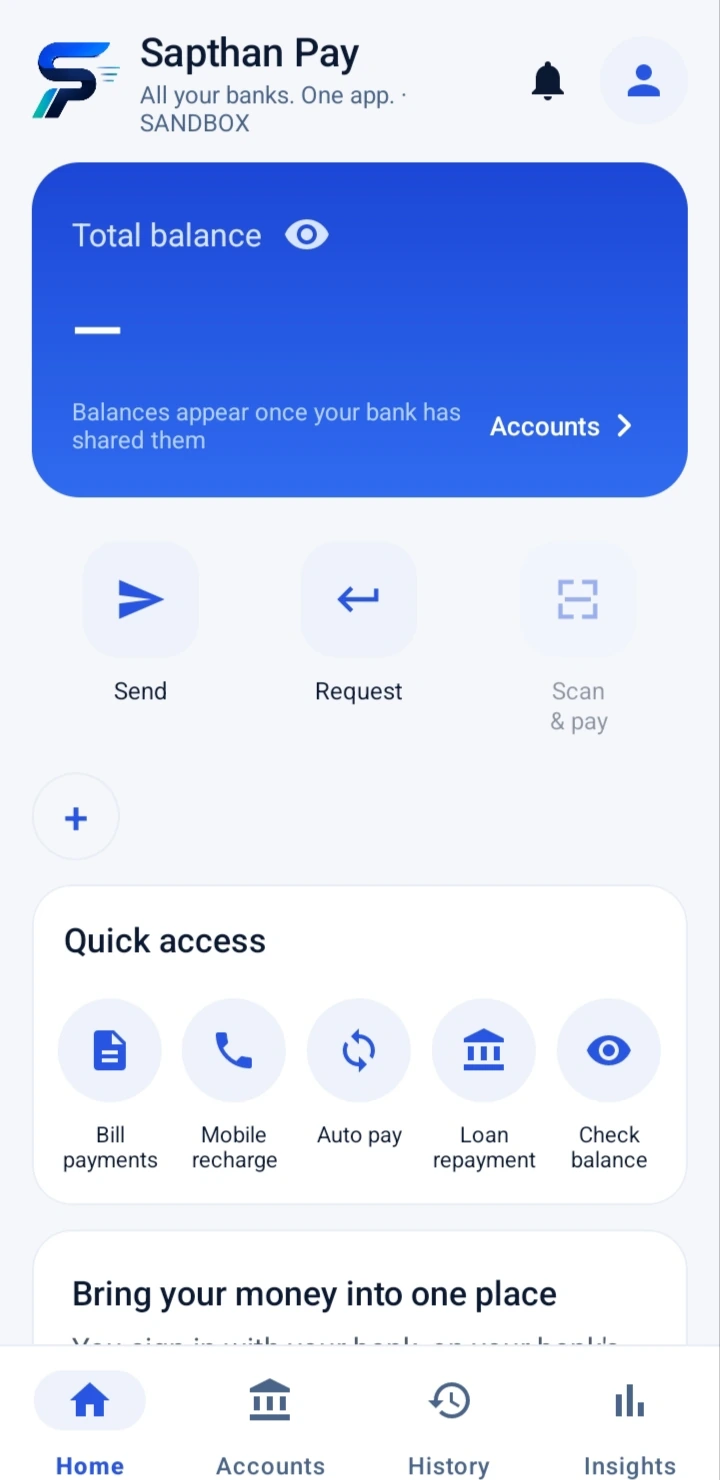
Your whole financial picture on the first screen.
One total for all your accounts, converted to euro at the live rate, with each currency shown underneath. Everything you do most is one tap away.
- Send, Request and Scan & pay — right under your balance
- Bills, loans and check balance — in quick access
- Pull down to refresh — and see when each figure was fetched
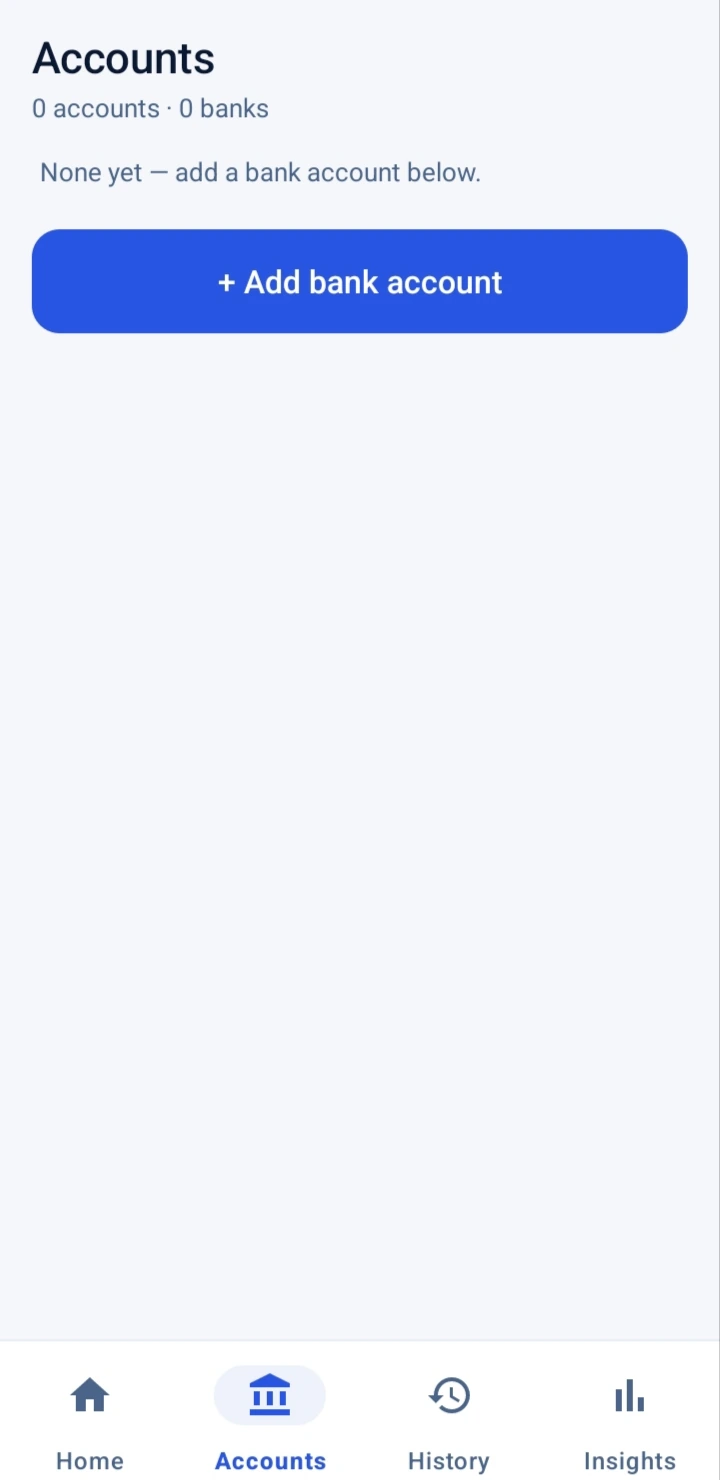
Connect as many banks as you like.
Pick your bank, and its own login page opens in your phone's browser. You sign in there and approve access. Sapthan Pay only receives what you approved — never your login.
- Banks across the EU — the app shows which are available
- Grouped by bank — with balance and last four digits
- Remove a bank any time — access is revoked straight away
Send money and pay invoices, straight from your bank.
Choose who to pay and which of your accounts pays. Your bank shows you the payment and asks you to approve it — with your fingerprint, face or bank app, exactly as you're used to. Sapthan Pay only shows "paid" once your bank confirms it.
- SEPA payments in euro — to any IBAN in the euro area
- Scan & pay — European invoice QR codes fill everything in
- Pay bills and loan instalments — from any linked euro account
- Safety limits — up to €500 a payment and €2,000 a day
Ask for money with a link and a QR code.
Enter the amount and your IBAN once. Sapthan Pay creates a small invoice with a European payment QR code and a "Pay this invoice" link. The other person can pay from their own banking app — they don't need Sapthan Pay.
- Share on WhatsApp, email or anywhere — as a PDF
- Choose how long it's valid — 24 hours, 7 days or 30 days
- Paid once, closed for good — Sapthan Pay won't let it be paid twice
- Cancel a request — any time before it's paid
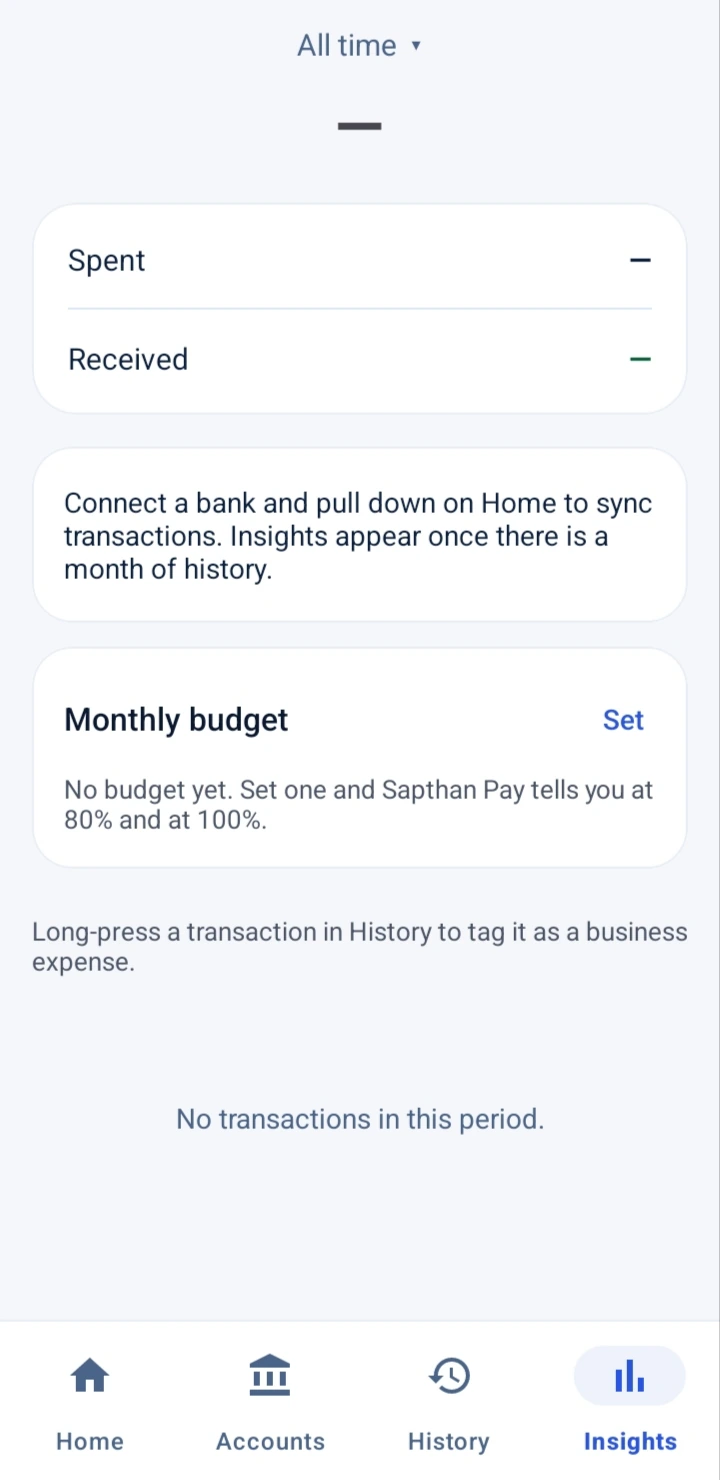
Understand your money without spreadsheets.
Sapthan Pay sorts your transactions into everyday categories and tells you, in plain words, what changed — for example that you've spent 12% less so far this month than last month.
- Monthly budget — alerts at 80% and 100%
- Subscriptions found for you — regular charges, with the next date
- Bill and loan reminders — before the money leaves
- Low-balance alerts — at the limit you choose
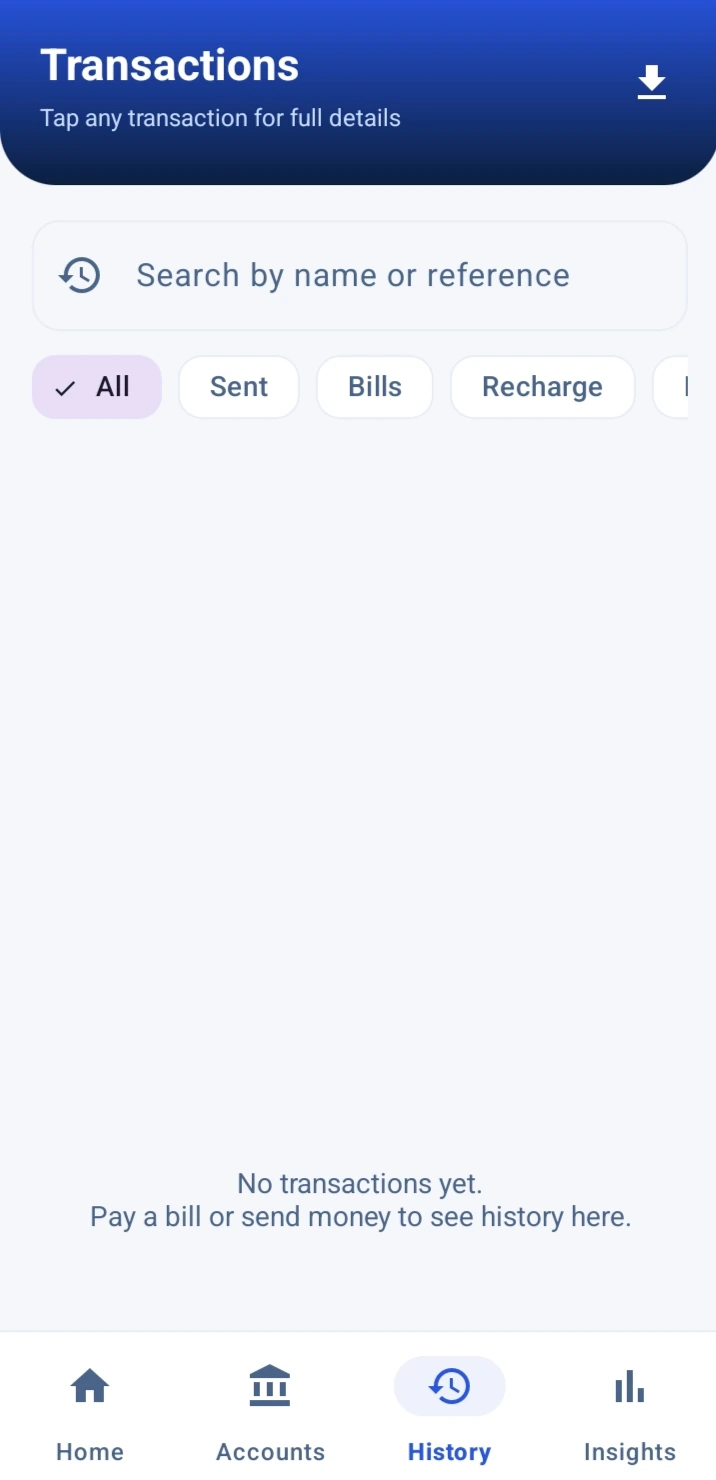
Every transaction, searchable — and downloadable.
One history for all your banks. Search by name, filter by account or type, open any payment to see its details and status, and download a statement when you need one.
- Search and filters — across every linked account
- PDF statements — for a landlord, an employer or your records
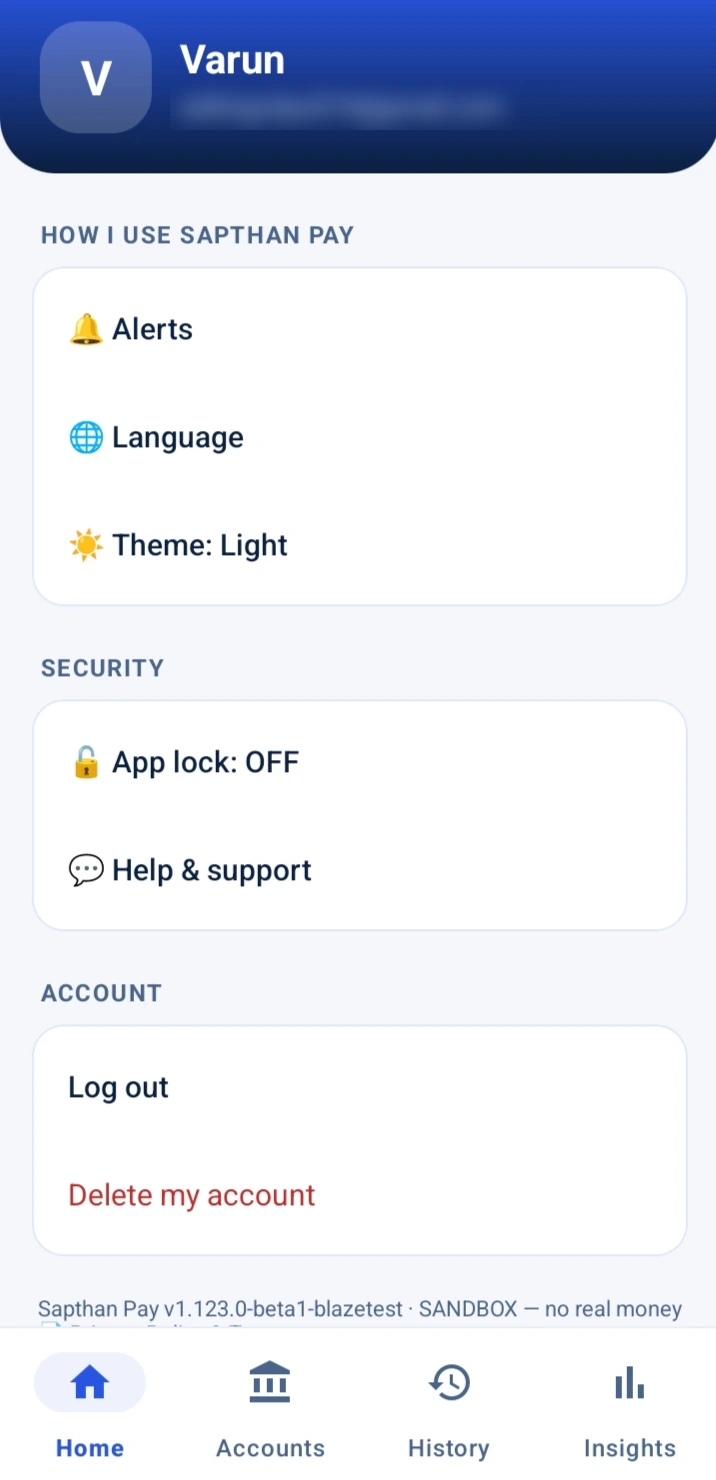
Your settings, your rules.
Choose which alerts you get, lock the app with your phone's fingerprint, face or PIN, and delete your account in the app whenever you want.
- App lock — re-locks after a short time in the background
- Optional authenticator app — a second step at every sign-in
- Delete your account — confirmed with a code sent to your email
Up and running in about five minutes.
Get the app
Join the waitlist and we'll send you the download when sign-ups open. Android first.
Create your account
Sign up with your email or Google. We send a 6-digit code to your email to confirm it's yours.
Connect a bank
Choose your bank and approve access on the bank's own page. Add more banks whenever you like.
See everything
Your balances and transactions appear and stay up to date, sorted into categories.
Pay and plan
Pay, request money, add bills and loans, and set a monthly budget. Every payment is approved at your bank.
What it costs, and where it works.
Free for everyday use
We don't put a fee on top of your normal bank payments. Your own bank's usual terms still apply to your account.
Anything with a price will always show it clearly before you confirm. Nothing is hidden in exchange rates.
Built for the EU
Connect banks in all 27 EU countries, through a regulated open-banking provider. The app shows exactly which banks are available when you connect.
Payments are in euro by SEPA. Accounts in other currencies (for example Polish złoty or Swedish krona) can be viewed, but payments go from euro accounts. The UK is not supported.
Your money never leaves your bank without your approval.
We built Sapthan Pay to the standard we'd want for our own accounts.
We never see your banking password
You sign in on your bank's own page, opened in your phone's browser. We don't receive your password, PIN or one-time codes.
You approve every payment at your bank
Your bank's own strong authentication confirms each payment. Nothing moves without it.
One phone at a time
Your account is active on one phone. If someone signs in on another, the old one is signed out and you get an email straight away.
Private on screen
Screenshots and screen recording are blocked, and your balance is hidden in the recent-apps view.
Read-only, with your consent
Access to each bank is given by you, on the bank's page, and you can withdraw it at any time in the app.
Data kept in the EU
Encrypted in transit and at rest, stored in the European Union. Your personal details are deleted when you delete your account.
Where we are today: pre-release testing.
Sapthan Pay is being tested with test banks, so no real money moves yet. Bank connections and payments are provided by a licensed open-banking provider and approved by your own bank. Join the waitlist and we'll tell you the moment real banks are switched on.
Everything people ask us.
What exactly is Sapthan Pay? +
An app that connects to the bank accounts you already have in Europe, so you can see all your balances and transactions in one place, pay by SEPA from those accounts, scan invoice QR codes, send payment requests, and get reminders and spending insights. It is not a bank.
Is it live yet? +
Not yet. We're in pre-release testing with test banks, so no real money moves. Join the waitlist and we'll email you the moment real banks are switched on.
Does it cost anything? +
Everyday use is free: connecting banks, balances, insights, reminders, payment requests and ordinary payments carry no Sapthan Pay fee. If we add optional extras later, such as mobile top-ups, the price is always shown before you confirm.
Do I need to open a new account or move my money? +
No. Your money stays where it is, in your own bank accounts. Sapthan Pay simply connects to them with your permission.
Do you see my banking password? +
No. You sign in on your bank's own page, opened in your phone's browser. We never receive your password, PIN or one-time codes, and we never store them.
Which countries and banks are supported? +
Banks in the 27 EU countries, through a regulated open-banking provider. When you connect, the app shows exactly which banks are available in your country. The UK is not supported.
Can I pay from an account in another country? +
Yes. Any linked euro account can pay any IBAN in the euro area by SEPA — for example a Dutch account can pay a German or Belgian one. Accounts in other currencies can be viewed but not used to pay.
Are there payment limits? +
Yes: up to €500 per payment and €2,000 per day in total. Payments that fail or are cancelled don't count towards the day.
Can someone without the app pay my payment request? +
Yes. The request has a European payment QR code, an IBAN and a link, so anyone can pay it from their own banking app. With Sapthan Pay, it's marked as paid automatically when the payment arrives through the app.
What happens if I lose my phone? +
Your account is active on one phone at a time. Sign in on your new phone and the old one is signed out immediately; you'll also get an email about the new sign-in. Your money stays safe in your bank, and payments always need your bank's approval.
How do I delete my account? +
In the app, under Profile → Delete account. We send a 6-digit code to your email to confirm. Your personal details and bank connections are removed; records of completed payments are kept without your details, as financial law requires.
Is Sapthan Pay a bank? +
No. We don't hold your money, issue accounts or lend. Bank connections and payments are provided by a licensed open-banking provider and approved by your own bank.
Be among the first to use it.
Join the waitlist and we'll email you when Sapthan Pay opens in your country.
Thanks — we'll email you when Sapthan Pay opens.
Couldn't submit — email us directly at business@sapthan.com.
Free to join. We'll only email you about the launch.